This private Hub is reserved for registered September 2026 Master Class participants.
Your registration email is also your Master Class Hub login.
Please use the same email address you used when you registered for the Master Class.
Sign In to Your Master Class Hub
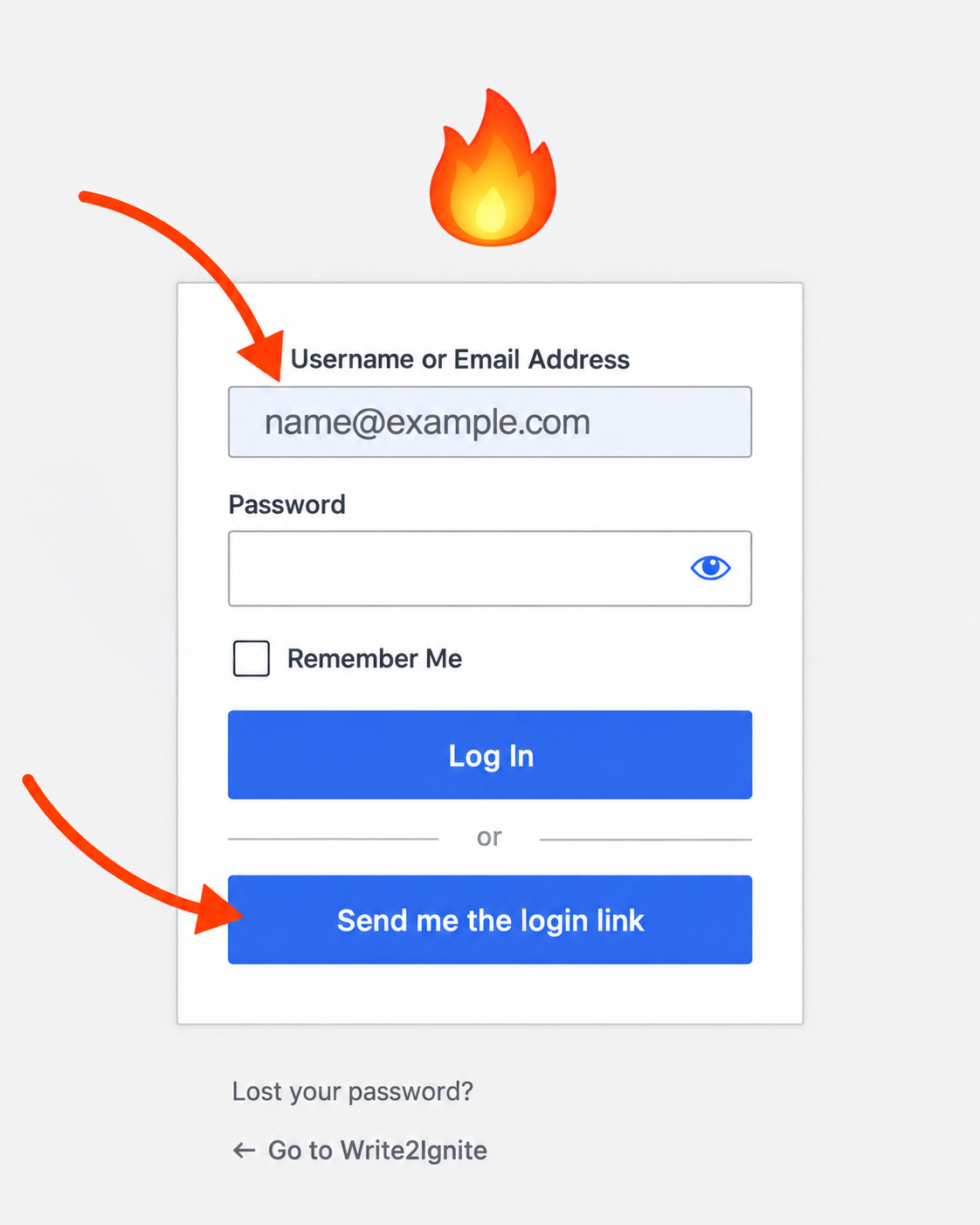
You do not need a password. On the sign-in page, enter the same email address you used to register for the Master Class and click Send me the login link.
Step 1: On the sign-in page, enter your registration email and click Send me the login link.
Step 2: Open the newest email from Write2Ignite and click Log In.
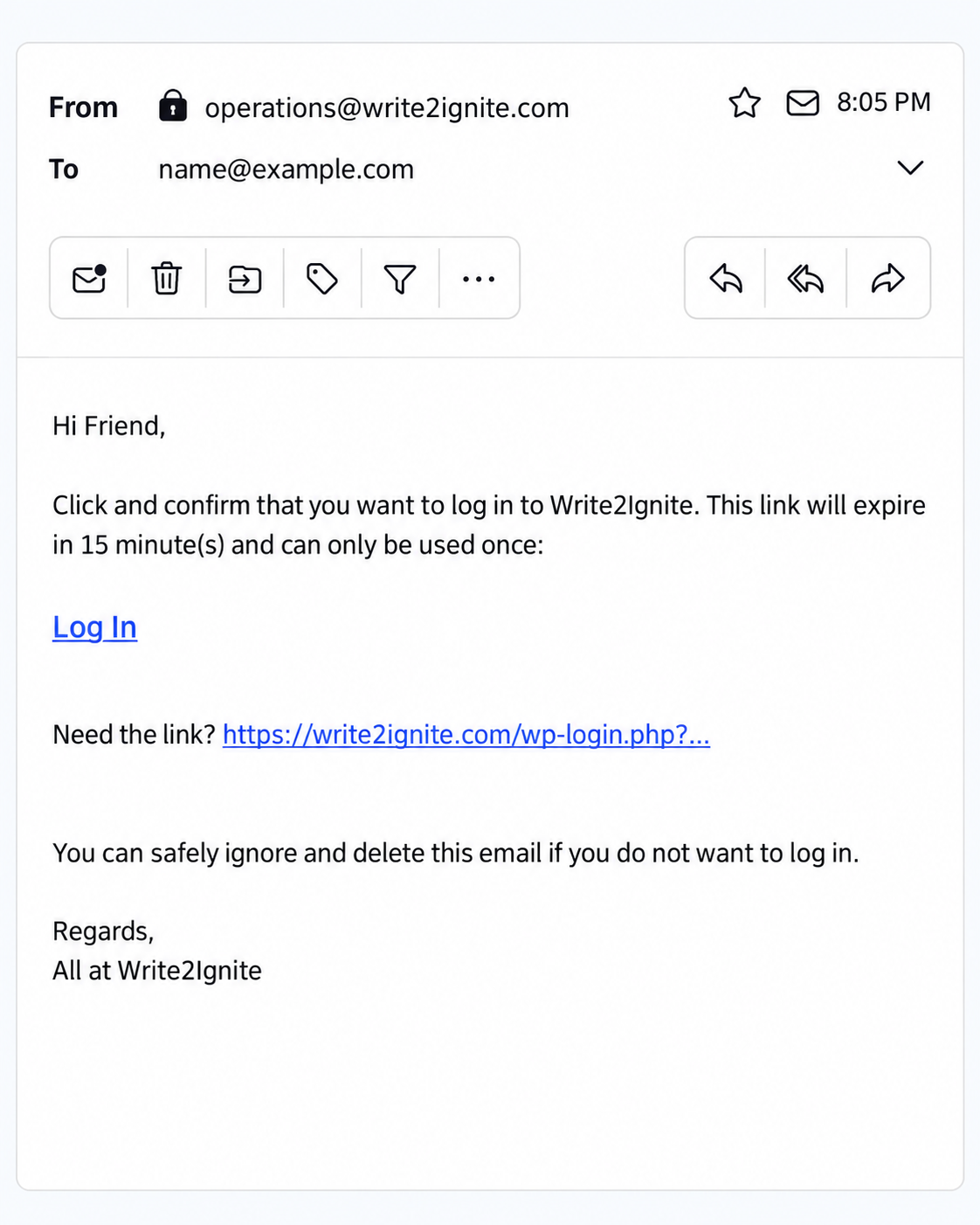
Use the newest login link you receive. Login links expire after 15 minutes and can only be used once. If needed, simply request a new one.
Using a different device on Saturday? No problem. Open the Hub on that device, choose Sign In to Your Master Class Hub, and request a new login link.
If you prefer using a password, enter your password and click Log In, or use Lost your password? to reset it.
Still having trouble? Email Helen Jimmie at operations@write2ignite.com.