ESCAPE FROM SIN’S CURSE: A Game Review by Guest Blogger, Hadassah Murdock

REVIEW

 Escape From Sin’s Curse by Erin Greneaux is an “escape room in a box” card game. You play as part of a team of scientists living in the year 2911. The world around you is desolate spiritually and physically. You and your team are trying to figure out how the world got this way and what went wrong. 

While looking through an ancient library you find a Bible, a book that had been lost for centuries. After reading the account of Adam and Eve, you and your team decide to travel in a time machine to stop Eve from eating the forbidden fruit and laying a curse upon all mankind.  

But you arrive too late, and you find yourself on a fact-finding mission to discover if there is any way to reverse sin’s curse. 

I have never gone to a real-life escape room and paid to solve puzzles and riddles in order to get out, but I have played numerous games designed to give you the escape room experience at your own kitchen table.

Though escape room games tend to require more imagination and are on a much smaller scale than the real thing, I like that I don’t have to leave my house to play them. They make for great group activities, and do not take much preparation to play. 

Escape room games have a plot (I love a good story!) and usually you and the other players work as a team to escape. It does not require competition to win, but rather co-operation. In the games’ storylines, you are typically trapped, lost, or tricked into a situation where you have to find and solve clues and puzzles in order to escape. These games require a range of different problem solving skills, making them fun for players with differing levels of ability. Your goal is to beat the game, not each other. 

I liked the gospel message that this game clearly presented. The timeline of the plot covers from Adam and Eve to the Resurrection. The game materials were high quality and, unlike the other escape games where you end up cutting and scribbling on much of the game materials, you can use this game again and again. We did have to cut two of the cards, but you could easily tape them back in place for the next set of players to use.

My only previous escape game experience was with the “Exit, The Game” series by Kosmos.  So, learning this game’s different set-up was a bit difficult for me.  Instead of following a booklet that takes you from riddle to riddle, this game was on cards and the order of operations was sometimes hard to figure out.

It may have been easier for me had I never played a different type of escape game before. I kept trying to use the techniques I had learned from playing the Exit-game series, which didn’t apply to this game’s unique set-up. However, I think someone with previous experience in escape games as well as someone with no prior experience could figure out how to play this game and enjoy it.

I would have appreciated having all the puzzle and riddle “solutions” available in the actual rulebook instead of online on the game’s site. Sometimes the online solutions didn’t provide enough information. The game really wants you to figure it out by yourself, but I really would have appreciated help to get past the first solution in order to figure out how the game works. 

RECOMMENDATION

The game suggests 1-6 players, ages 10+, with an estimated game time of 60-90 minutes. 

I recommend four players max, as any more could lead to a crowded game table and someone getting left out of the action. I believe a ten-year-old could play the game, but with an adult’s help as some of the puzzles are multifaceted and more complex. The time estimate is very accurate.  The game took my older sister and me an hour and a half. Games like this can sometimes take up to two hours, so be sure you have plenty of time to play from start to finish. 

I would recommend this game for people who have patience and enjoy a good puzzle. I think that different people will have their own unique experience with this game, and that you can’t really know how you will do with it unless you try it for yourself. 

Some of my escape-room game experiences were better than others, this one was a bit more perplexing and difficult, but I had fun overall and enjoyed the message and plot of the game. 

Hadassah Murdock is a nineteen-year-old homeschooled senior high student from South Carolina. When she’s not busy working on her family’s farm, she loves creating stories, thrift shopping, fairy-gardening, cooking, and creating art for her sketchbook. She has played many Exit games and loves good mysteries, though biographies remain her favorite type of reading.   

A Take On Making Short Videos Part IV by Guest Blogger, Hadassah Murdock

In my earlier posts about creating video shorts, I shared my creative process for Part I: brainstorming a story, Part II: writing a script, and Part III: filming. But the final step of the process is where a lot of the fun gets added. I’m talking about editing!

Why Do I Edit? 

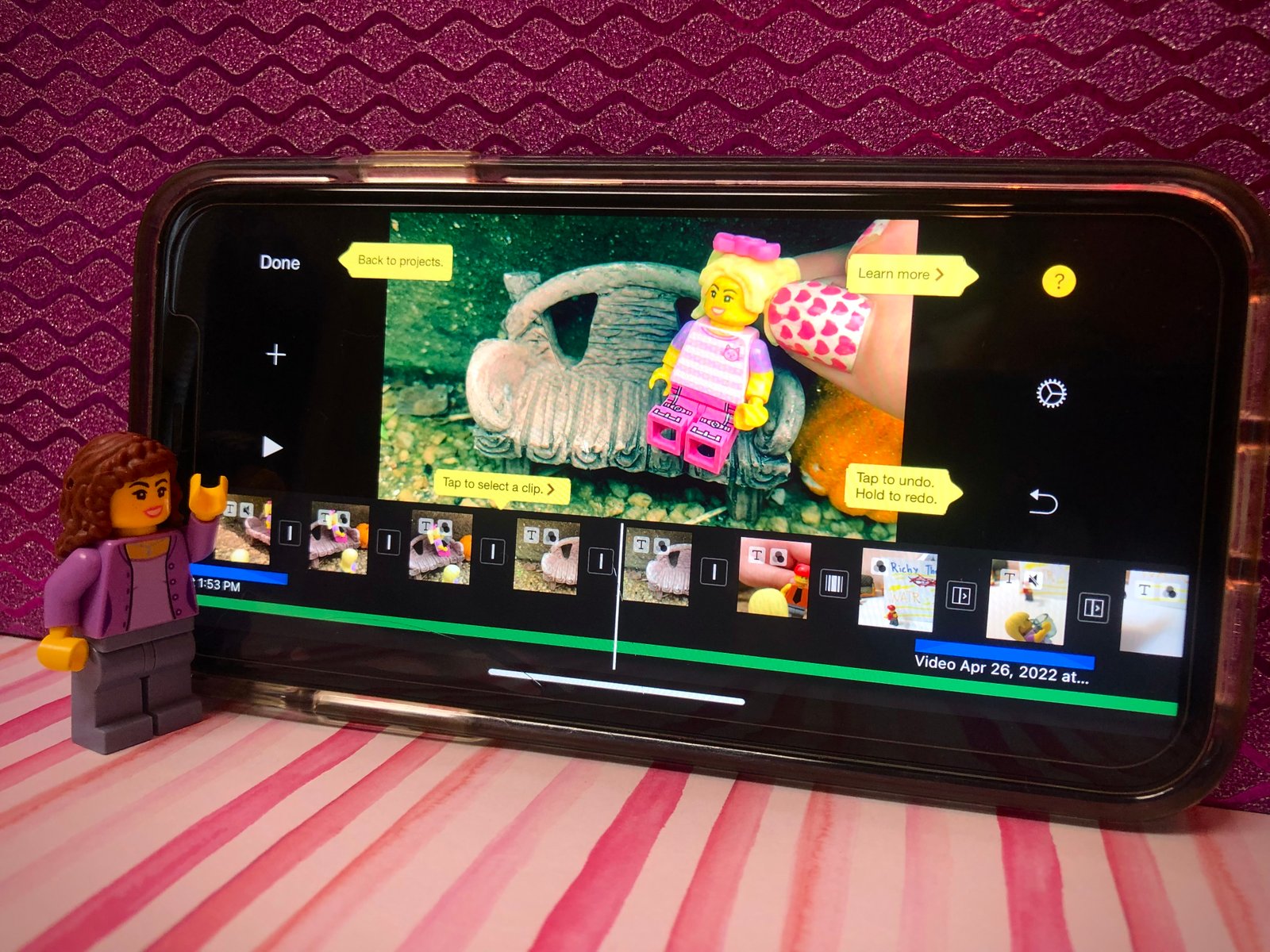
My journey into video-editing began when I realized my need for it.  My sister Josie and I had just finished filming all the clips for our first movie, but it was all just a jumble of raw video bits on my camera roll. We needed to stitch the shots smoothly together in the order of the story’s events. So, I downloaded a simple editing app called iMovie onto my iPhone and began researching and practicing how to work with it. At first, the program seemed very complicated, but YouTube provided plenty of tutorials on maneuvering around the app and soon editing became a breeze. 

With my editing program, I could now upload all of my movie’s clips from my camera roll into a project file and they would play in one long video stream. Of course, I also wanted the story stream to sound and look good.  Fortunately, the program, as simple as it is, comes with a wide selection of options, tools and effects for editing raw clips into fun, entertaining videos.  

Music

Music does so much for setting a video’s mood. Most people think I add the music in the filming process, but that isn’t true. My editing app has a wide selection of uncopyrighted music/soundtracks to work with, and so it is easy to just choose and use one of those.  If a scene is sad, I tend towards soft piano music. If a scene is fun and wild, I like to get a song with beat and energy. Sometimes I even pick the music before filming, so we can get a feel for how the scene should be acted out. 

This is the iMovie soundtrack that I used for background music for the short.

Filters

A filter is an effect that can be put onto a video clip to adjust the coloring and alter the final look.  Like music, filters convey mood. I don’t use filters often, but every once in a while the story calls for a mood or effect I can’t achieve during the filming process.  For example, I use the black and white filter when a scene is sad or introspective, or a filter with faded white around the edges in a dream sequence or flashback.  My editing program has about a dozen different filters that each convey various themes or attitudes.  One of the biggest temptations when it comes to filters is overusing them.  My policy for filters is if they don’t contribute to telling of the story, or if they actually take awayfrom the video and cause a distraction, then I don’t use them.  Less is more.

This is the iMovie filter selection. I sued the Blockbuster filter to make it feel more cinematic.

Sound Effects 

My program comes with all sorts of sound effects, from an alarm to a watersplash. I use this feature whenever I can’t achieve the correct sound in the filming process, like a door closing or footsteps on the ground. I only add a sound effect if it will help draw attention to the character making the sound and accentuate the action.  If the object and the sound don’t go well together, then it would be better to not add a sound effect at all.  

Once imported into the editing project, sound effects are easy to move and manipulate to where they sound best in the video.

Transitions

A transition is an effect that the editor adds in between shots. There are several different transitions in my program to choose from. My favorites are an instant image change, a fade to black from one clip into the next, or where the two clips dissolve into each other. Transitions help with the smooth running of the film.  For example, having a flash at the beginning of a flash-back sequence, or a fade to black at the end of the movie.  I try to keep the transitions smooth so that no one will even notice the change, but they will feel the story flowing along nicely.

In Conclusion 

Not every video that I make requires the same amount of editing, which is why I don’t think there is a right way or a wrong way to edit. My goal in editing is to add clarity to the story and charm to the presentation.  

I love stories that make me laugh, and I love the video medium because it is so shareable.  When I watch my finished edited project, I’m always so relieved to have completed that step of my process; but I am most excited about posting it on my YouTube channel to share with my friends and family. Sharing and watching is my favorite step of all!  My reward is hearing that something I created made them laugh too!

Here is a link to my finished video where the above example pictures are taken from: https://youtu.be/PxM8UahTsB8

If any of you would like to learn more about iMovie and how to use it yourself, here is an article and a video tutorial I found helpful. 

Hadassah Murdock, with her side kick and assistant, Josie Murdock.

Hadassah Murdock is an eighteen-year-old home school teen who lives and works on her family’s farm in South Carolina. She loves playing with her four siblings and making movies for her YouTube channel, which you can check out here. When she’s not helping with the animals or working in the fields, she enjoys talking to friends, brainstorming new stories, and baking muffins.  She credits attending Write2Ignite conferences for learning aspects of storytelling and characterization. She hopes to expand her knowledge of screenwriting and film producing.

A Take on Making Short Videos- Part III by Guest Blogger, Hadassah Murdock

In the post before this, I discussed my method for writing a script for a short video. In this post, I aim to shine some light on the next step in my short movie making process: filming!  

WHY A VIDEO?

A picture may be worth a thousand words… but a video is worth a thousand pictures. Literally. This is the reason I chose filming as my preferred medium for telling a story.  Since I am a visually oriented person, it helps that I don’t have to use words to describe scenery or character movement; I simply show it with moving pictures. While a writer selects words that best express their mental image for a scene; I use props, lighting, backgrounds, and characters to translate the picture from my mind to the screen. But figuring out what to show and how to show it takes a different kind of creativity, and sometimes altering my mental image to match what I can realistically do. 

CHARACTER BUILDING 

Deciding the physical appearance of a character is an important beginning step in my filming process. I aim to tell a lot about a character’s personality with their clothes, hair, eyes, and facial expression. With LEGOs, I can actually build the characters to make them look similar to what I picture in my mind.  I can switch parts out and give them different heights, hairstyles, or outfits depending on what the story requires. I want to be sure that my villains look like villains, and my heroes look like heroes. This helps the audience get a feeling for what to expect from each character.  Sometimes it takes several different LEGO piece combinations to find the right look I am going for, but I think that it is worth all the extra fun! 

BEHIND THE BACKGROUND 

Though backgrounds are not usually the focus of a scene, they add dimension and atmosphere to the overall visual story. Since my story is being acted out on a LEGO-sized scale, it is easy to find backgrounds to fit. Among many other live-sized household objects, I have used windowsills for hallways, desk legs for pillars, bookshelves for ballrooms, a fireplace for a dark alley, etc. When filming, the camera will only have to capture the small portion of the background that will suggest the setting of the scene. So, if the background feels to-scale for the characters and camera, it will become believable to the viewer as well, no matter what is used. 

LIGHT IT UP 

Although lighting may seem like an insignificant step in filming, it is one of the determining factors in setting the mood, showing passage of time, and creating the illusion of reality. When I begin filming, I always try to find a reliable and sufficient light source that will provide the mood that the story needs and will remain consistent if I film a scene over a period of time. I have used warm Christmas lights to show happiness, bright flashlights to show stress, and even a weird disco-toy to create the illusion of a wild party. I think that using ordinary objects to light up an extra-ordinary story will help make the film more believable.                  

THROUGH THE EYE OF THE CAMERA

“1,2,3 Go!” and I press the record button on my iPhone camera. My little sister Josie says the character’s line as I zoom the camera in to give the illusion of physical movement. I pause the camera. “Josie, I think that line needs to be said with more emotion.” Josie sighs as we get everything back into position and start the shot over again, but this time with “emotion”. Line by line, angle by angle, sometimes only a couple of seconds at a time, this is how we create each individual film clip. My movies are generally composed of about 45 video clips, each 3-10 seconds long. “Take two, they’re small” is my motto for filming because I always want to have an extra video clip to choose from in the event that we made a mistake in filming the previous clip. 

If there is anything I’ve learned about filming, it’s that there is always more about it that I could learn. It is an art form in and of itself. Of course, my objective isn’t to master cinematography, my objective is to tell a story; filming is just one of the tools that I use to do that. I always feel so pleased when Josie and I finish filming the closing clip. So far, the story has gone from ideas in my imagination, to sentences in a script, to video clips on my iPhone. 

What’s next? Stay tuned for my post on editing and piecing it together!

Want to see some of Hadassah’s creations? Here they are: Valentine’s Day and Tanzs R Us.

Hadassah with her side kick, Josie.

Hadassah Murdock is a seventeen-year-old home school teen who lives and works on her family’s farm in South Carolina. She loves playing with her four siblings and making movies for her YouTube channel, which you can check out here. When she’s not helping with the animals or working in the fields, she enjoys talking to friends, brainstorming new stories, and baking muffins.  She credits attending Write2Ignite conferences for learning aspects of storytelling and characterization. She hopes to expand her knowledge of screenwriting and film producing.

A Take on Making Short Videos- Part II by Guest Blogger, Hadassah Murdock

In my previous post, I wrote about the creative process of brainstorming a short story. Today, I’m moving on to show you my next step in making a video short: writing the script.

REASONS FOR A SCRIPT

“Do I really need a script?” I remember grumbling to my mom after hearing my older sister bugging me to create a script for the umpteenth time. The truth was that yes, we really did need one. My little sister Josie and I didn’t write a script for our first two movies; we simply improvised while filming. Though it was fun, the result was dragging dialogue and an excessive running time. 

When we went to produce our third movie, I finally took my sister’s advice. The result was concise dialogue, organized scenes, and a shorter running time. Now we use a script for every film we make. We still goof off and improvise, but we do it in front of the computer, not in front of the camera! 

LAYING THE FOUNDATION FOR A STURDY SCRIPT

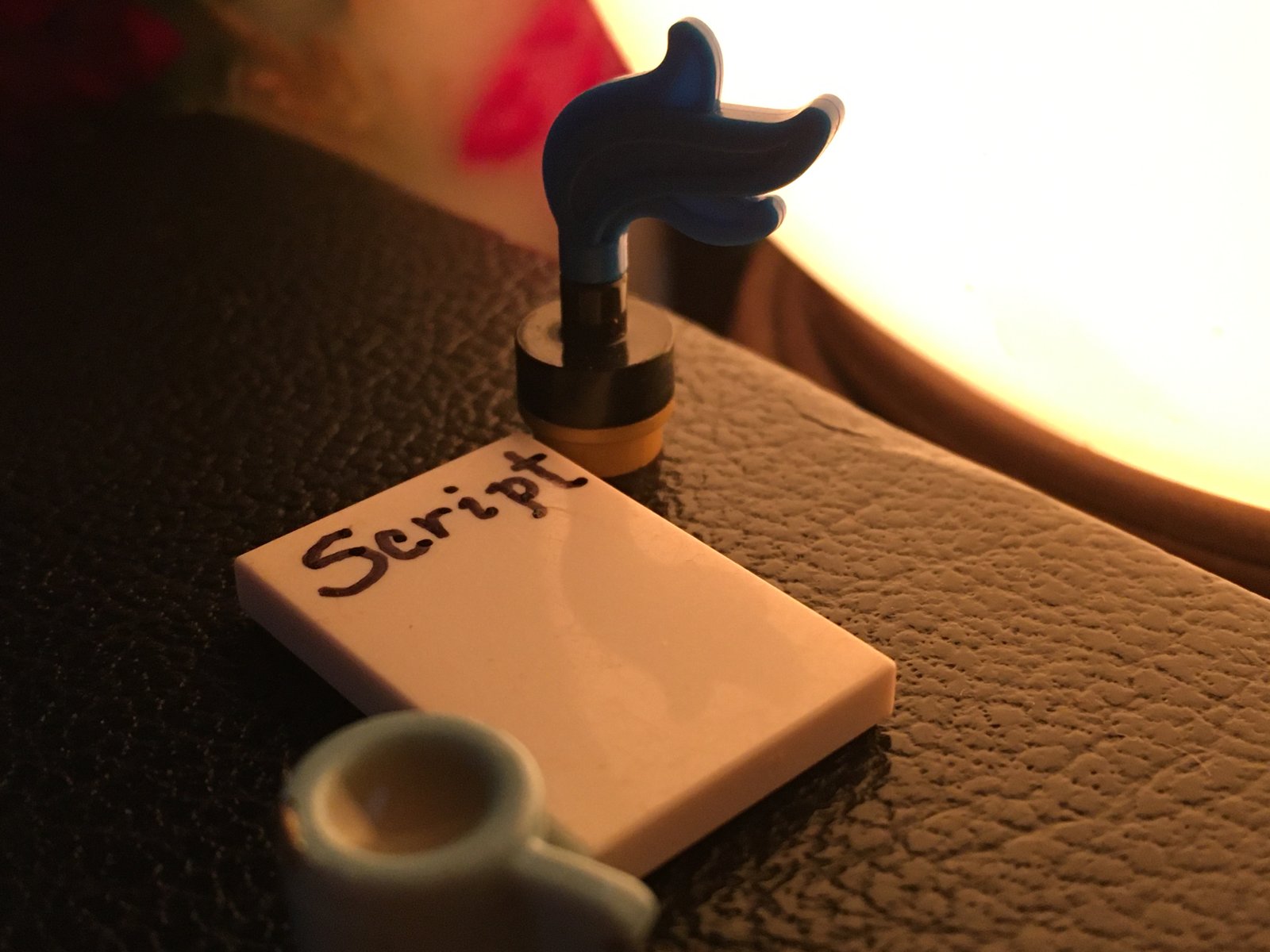
I use Word and save all my notes and outlines for each movie in one document. The rule of thumb is that one page of script typed in Courier-font size 12 will equal one minute of screen time.  I set up my computer using this formula to help me gauge how long the finished movie will be. My videos average 3 minutes of screen time and my scripts are usually 3 pages long. This predictability leads to consistent running time, which is extremely important when writing a series of shorts.  I should listen to my big sister more often! 

To begin each script, I write a bullet-point outline of the beginning, middle, and ending, along with notes on possible scenes. This allows me to visualize what I intend to accomplish and exposes scenes that clog up the flow of the story. Since I want to keep the finished movie short, I make sure that my outline is concise and to the point. I find it much easier to identify and change unnecessary scenes in the outlining stage than to cut them out of the completely written script. Scene ideas that are too long or don’t flow are merged, deleted, or revised until I’m assured that they will support the story. 

FLESHING OUT THE SCRIPT

I begin every movie with “A Go-Figure Production”, so that is the first thing I write on each script. I include every word or picture that I want to show in the finished movie; this way I keep track of the running time and get a mental image for how the polished film will look.  

Here comes the fun part! Josie and I follow the outline and begin fleshing out the scenes with dialogue. As we write the dialogue, we take care to give each character their own voice, mannerisms and way of talking.  This lends the characters more color and helps distinguish them from each other. Whether it be incorrect grammar or an overused word, everyquirk (when applied consistently), deepens each character’s unique personality.  When scripting the dialogue, I also note any physical motions the characters will do, like walking or tossing something.  This will give us an idea for how to position the characters when we film and helps determine running time. 

POLISHING THE FINISHED SCRIPT

Editing the script is not my favorite task, but it is worth the trouble. I read through the script several times, condensing sentences, correcting grammar, deleting redundant words and keeping an eye on my estimated running time. I find it helpful to have other people read and critique the script. They often catch mistakes I overlook.   Some of their suggestions are a matter of differing opinions, and while I don’t always take their advice, their input is helpful. 

At some point, I quit tinkering and decide that the script is good enough.  My audience won’t be reading my script, they’ll be watching my finished movie.  If I never stop tweaking, I’ll never start filming!    When I finally hit the “print” button, I am always flooded with a feeling of relief and anticipation. I am halfway to my finished movie, and I am all the way in!

Click here to view the completed video!

Next up: Lights, camera, Action! We’re ready to film! 

Hadassah Murdock is a seventeen-year-old home school teen who lives and works on her family’s farm in South Carolina. She loves playing with her four siblings and making movies for her YouTube channel, which you can check out here. When she’s not helping with the animals or working in the fields, she enjoys talking to friends, brainstorming new stories, and baking muffins.  She credits attending Write2Ignite conferences for learning aspects of storytelling and characterization. She hopes to expand her knowledge of screenwriting and film producing.

Hadassah and her sidekick, Josie.